
Turn a ~$30 GL-MT300N-V2 pocket router into a standalone DLNA media server — no internet required. Flash a custom OpenWrt firmware, plug in a USB drive with your media files, and any device on the Wi-Fi hotspot can stream via VLC or any DLNA client.
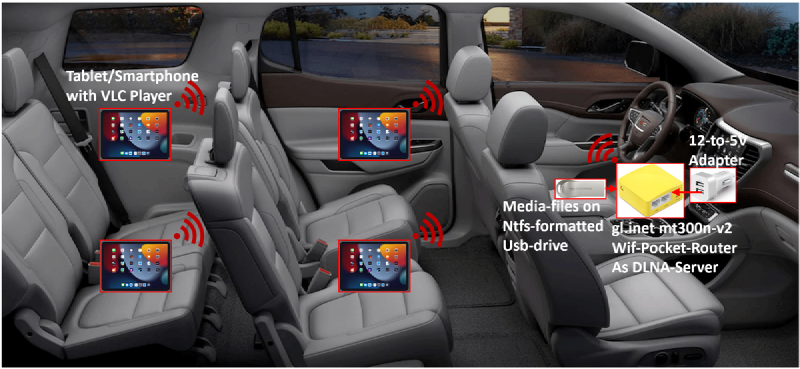
What you need #
- GL-MT300N-V2 pocket router (~$30)
- USB flash drive or USB hard drive (NTFS formatted)
- 5 V DC power source (USB charger, power bank, or 12 V-to-5 V adapter for car use)
- VLC Player (or any DLNA client) on your smartphone or tablet
Setup steps #
- Download the custom firmware — get gl-mt300nv2-dlnasrv.bin (~13 MB), an OpenWrt-based image with DLNA pre-configured.
- Flash the firmware — replace the OEM firmware on your GL-MT300N-V2 with the downloaded
gl-mt300nv2-dlnasrv.binfile. - Prepare your media disk — format a USB drive as NTFS and copy your media files into
Audio/,Video/, andPhoto/folders. - Power on — attach the media disk to the router’s USB port and power the router with a 5 V source.
- Connect to Wi-Fi — the router broadcasts a hotspot with SSID
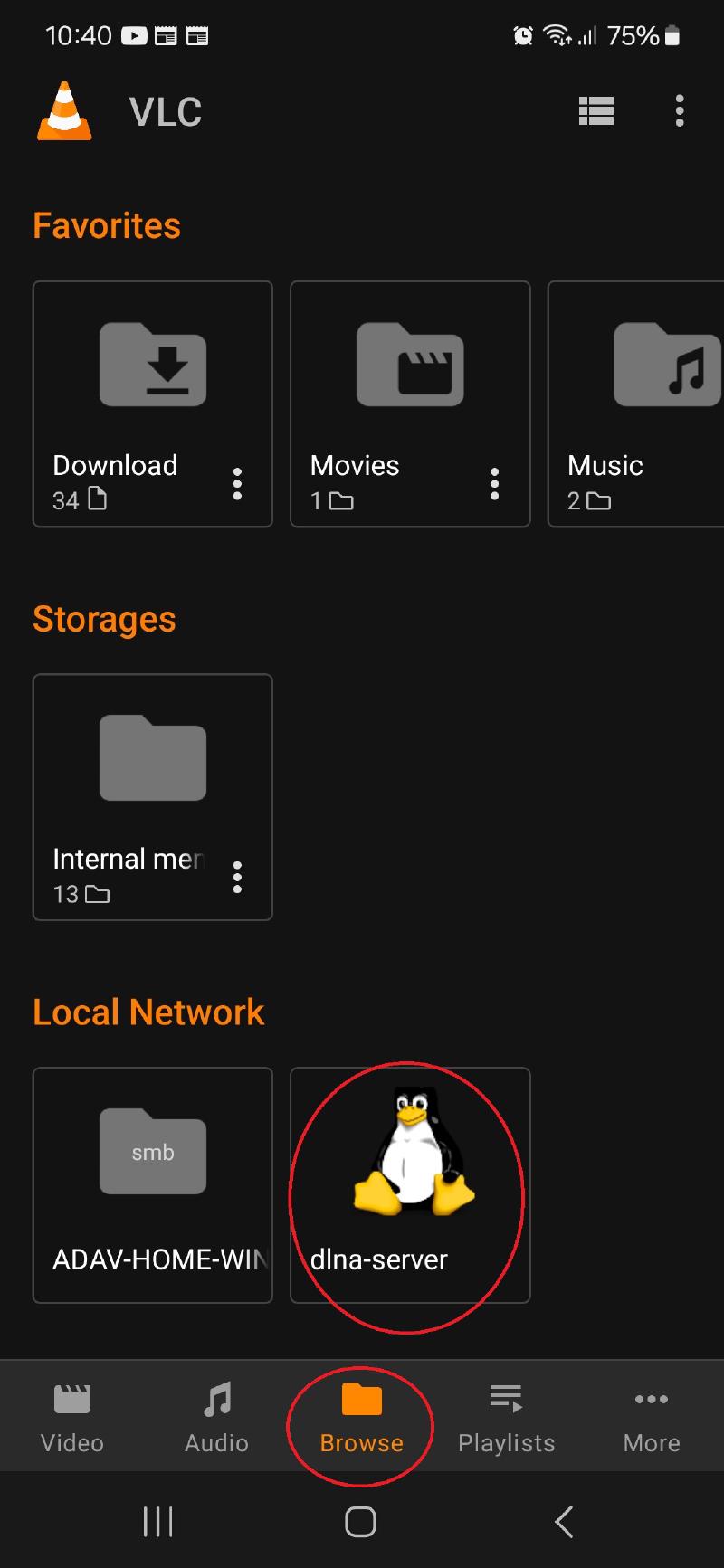
dlnaserverand passwordgoodlife. - Open VLC — install VLC Player on your device, connect to the hotspot, and navigate to Local Network. The DLNA server (penguin icon) will appear with all your media files.
Default credentials: SSID = dlnaserver, password = goodlife. These are for initial setup only — change them immediately (see Security section below).
Step-by-step screenshots #
The following image walks through the full flashing and configuration process in 16 slides:
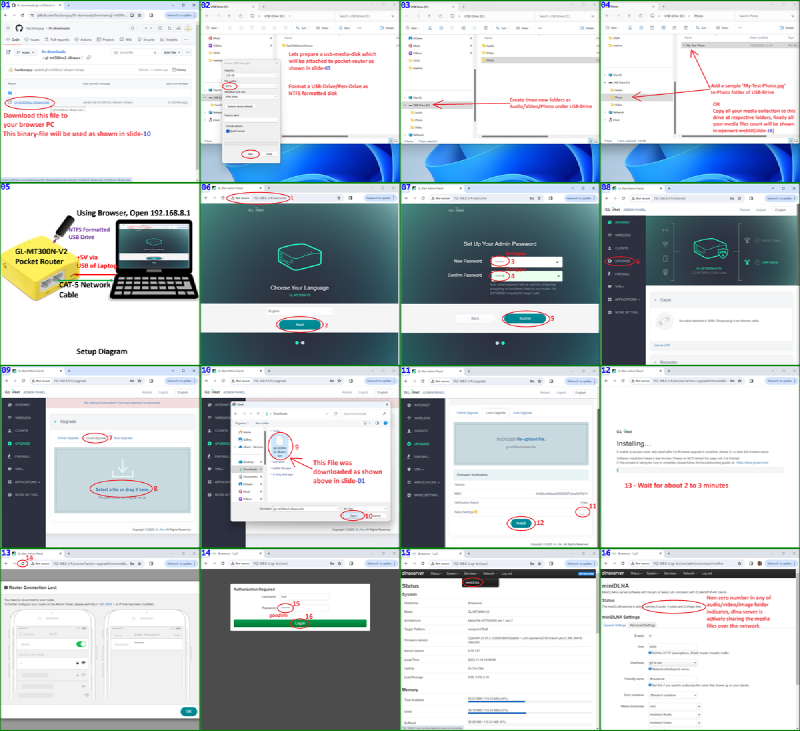
After following all 16 slides, connect your smartphone or tablet to the dlnaserver hotspot (password goodlife) and open VLC to browse media over the local network.
In-car infotainment use case #
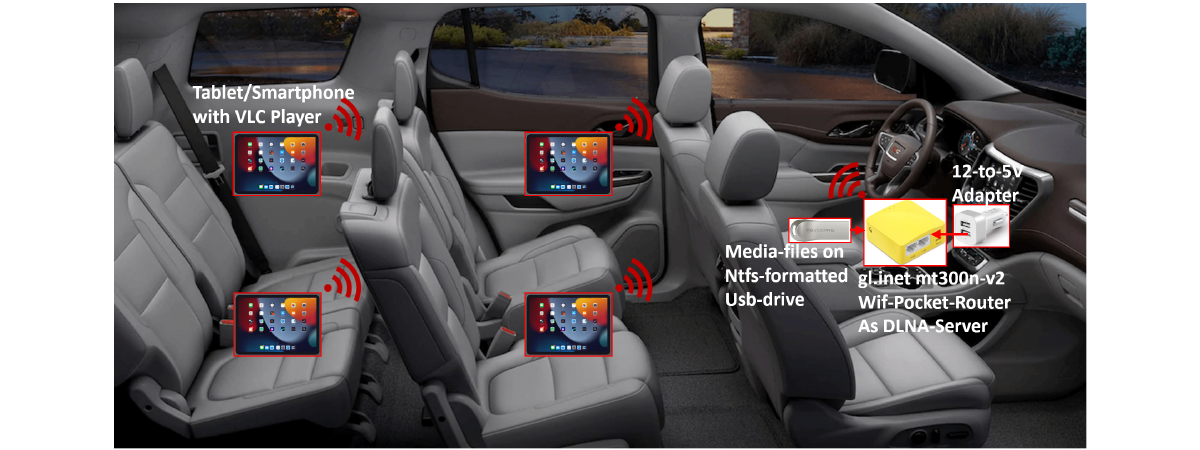
For those with an extensive multimedia collection, this compact DLNA server works well as an in-car infotainment system. Passengers can stream local media on their smartphones or tablets via the shared Wi-Fi hotspot — no mobile data or internet connection needed. This is especially useful during long drives through areas with poor network coverage.
The setup is simple: a pocket router powered by a 12 V-to-5 V DC adapter, paired with a USB media drive. When powered on, it creates a Wi-Fi hotspot and serves files over DLNA to all connected devices.
Security #
Change the default credentials immediately. Modify the web UI login password, Wi-Fi SSID, and Wi-Fi password through the standard OpenWrt web interface at http://192.168.8.1.
github.com/hackboxguy/openwrt-wrapper