
A ready-to-use bootable SD card image for BeagleBone Black/Green with a fully preemptible Linux kernel (PREEMPT_RT) — includes a gpio-test program that mirrors an input signal to a GPIO output pin for measuring scheduler latency with an oscilloscope.
Thanks to Maxime Chevallier of Bootlin for providing the gpio-test demo utility during PREEMPT_RT training.
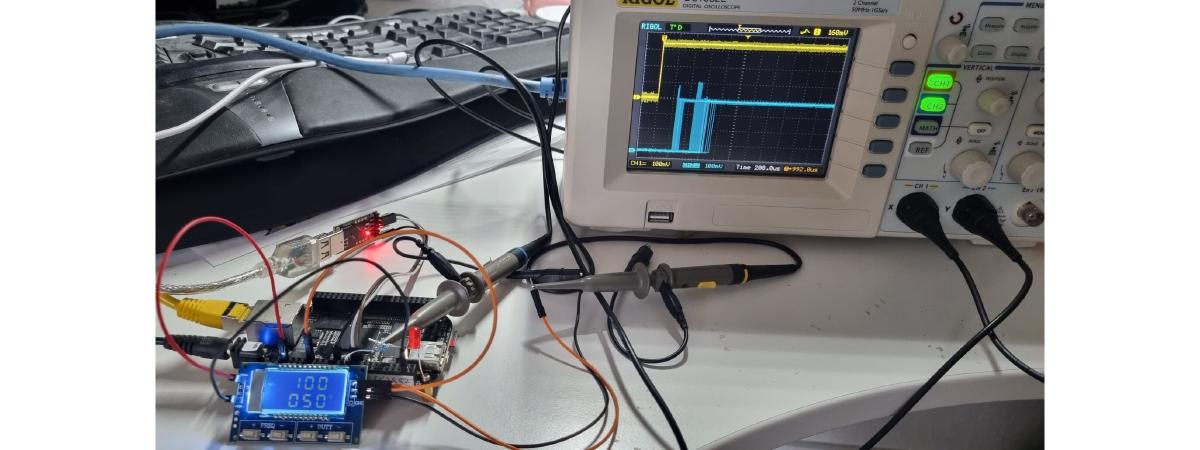
Setup diagram #
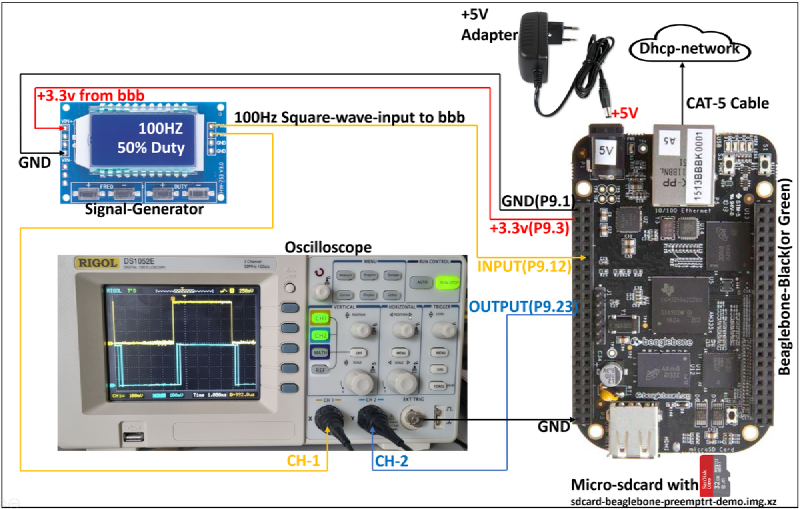
Items needed #
- BeagleBone Black or Green
- +5 V power adapter
- Micro SD card (1 GB or larger)
- Programmable signal generator board
- 2-channel oscilloscope
- Jumper wires
Instructions #
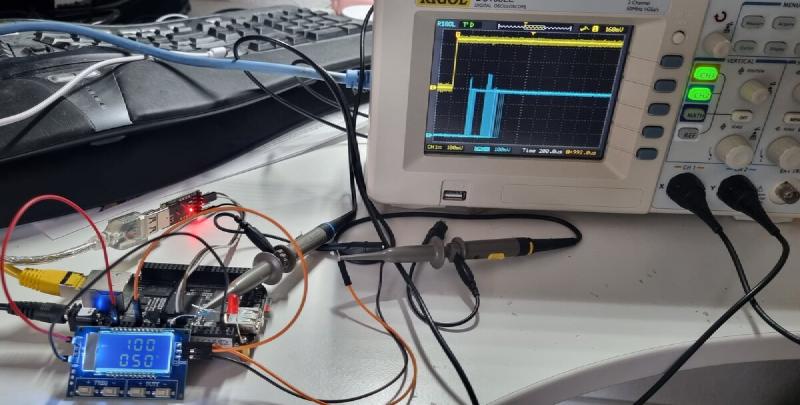
- Prepare the setup as shown in the diagram (set signal generator to 100 Hz, 50% duty cycle)
- Download sdcard-beaglebone-preemptrt-demo.img.xz (~25 MB)
- Write the image to a micro SD card using Balena Etcher
- Insert the SD card into the BeagleBone and power on
- After boot, the oscilloscope shows two square waves with a phase difference — yellow (input) and blue (output from BeagleBone)
- The phase difference indicates the latency introduced by the scheduler while running the preemptrt-gpiotest program
On startup, /etc/init.d/S99PreemptrtGpioTester invokes:
chrt -r 99 /usr/sbin/preemptrt-gpiotest gpiochip0 28 gpiochip0 17 h pThis starts the gpio-test utility at real-time priority 99.
Measuring latency under load #
The gpio-test program mirrors a GPIO input to an output — the phase difference between the two signals shows how fast the scheduler delivers context to your application. Jitter on the output signal (measured in oscilloscope persist mode) indicates the best and worst case scheduler latency under different load conditions (network traffic, interrupts, etc.).
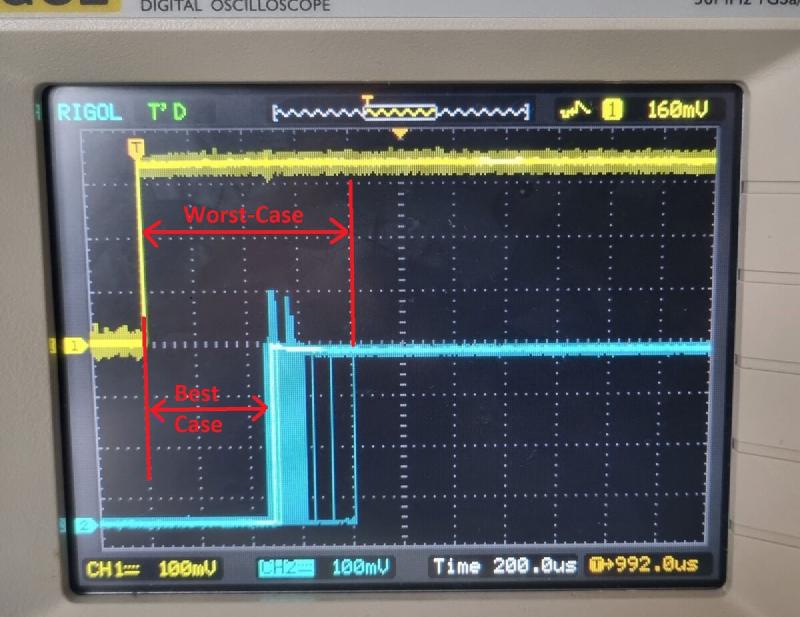
For further details on PREEMPT_RT, see Bootlin’s PREEMPT_RT training material.
Building from source #
Detailed build instructions are available in the git repository. Cross-compile instructions for modifying and running a customized gpio-test utility are also available.
github.com/hackboxguy/br-wrapper
sdcard-beaglebone-preemptrt-demo.img.xz