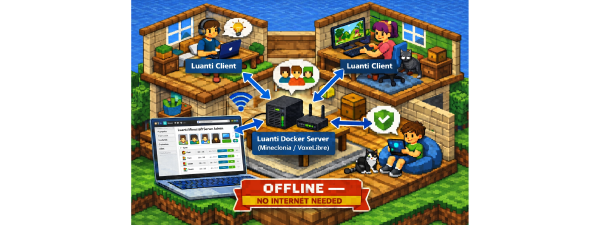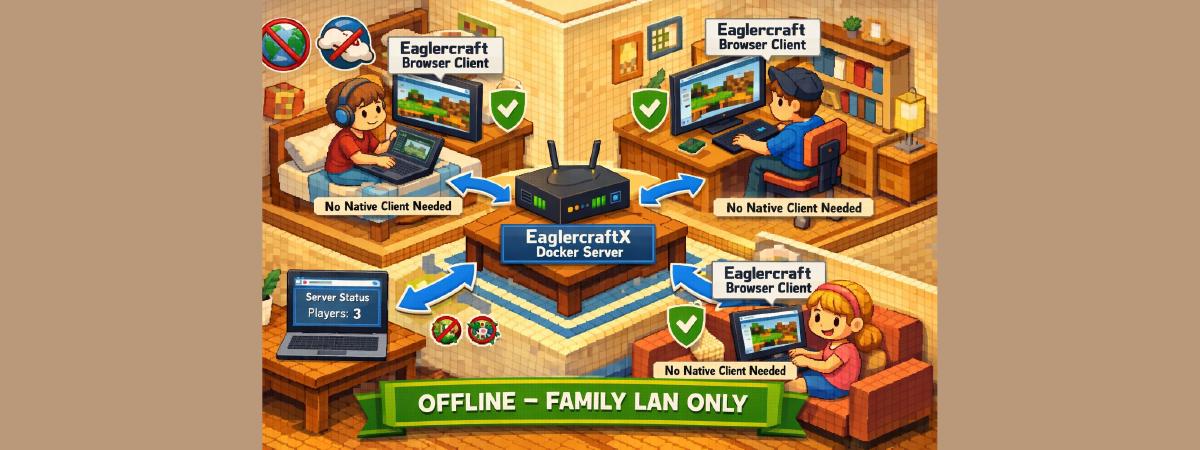

Minecraft multiplayer at home — no accounts, no native client, just a browser.
EaglercraftX is an open-source browser port of Minecraft 1.8.8. This project packages it into a Docker container so players can join from any device on your local network using Chrome or Firefox.
The initial build requires internet to download server components. After setup, gameplay works entirely on your home LAN without internet.
Why not just use a public Eaglercraft server? #
Public Eaglercraft servers are free and easy to find — but they come with risks that parents should understand. When your child connects to someone else’s server, the server operator controls the web client code running in the browser. Unlike official Minecraft from the Microsoft Store, there’s no app store vetting.
What can go wrong on public servers:
- Aggressive ads and popups — many public servers monetize through intrusive ads and fake “download” buttons that kids click without thinking
- Malicious redirects — the served JavaScript can redirect to phishing pages or fake “Your computer is infected” scareware that tricks kids into downloading actual malware
- Credential phishing — fake login forms that harvest email/passwords kids might reuse on other sites
- Background crypto mining — browser-based mining scripts running silently while the kid plays
Modern browser sandboxing prevents JavaScript from silently installing software. The real risk is social engineering — convincing an uninformed user to click, download, or enter credentials. Kids are especially vulnerable to this.
Self-hosting greatly reduces these risks: you control the client code, there are no third-party scripts, no ads, and no external network traffic. Combined with LAN-only access (or VPN for remote play), your attack surface drops to near zero.
Why this setup works for families #
- Browser-based client — no native launcher install on any device
- Local multiplayer on your home network
- Simple Docker lifecycle (
up,down,logs) - Persistent worlds and logs in
./data - Optional admin dashboard for server visibility
What you get #
- Game/browser endpoint:
http://YOUR_SERVER_IP:8081 - Admin dashboard endpoint:
http://YOUR_SERVER_IP:8082 - Included plugins:
- Plan Player Analytics
- Vault
- LuckPerms
- EssentialsX (+ Chat + Spawn)
- WorldEdit
- WorldGuard
Prerequisites #
- Docker and git installed
- 4 GB+ free RAM
- Free ports:
8081(game) and8082(dashboard)
sudo apt-get update
sudo apt-get install -y docker.io docker-compose docker-buildx git
sudo usermod -aG docker $USER
# Log out and back in for the group change to take effect
sudo pacman -S docker docker-compose docker-buildx git
sudo systemctl enable --now docker
sudo usermod -aG docker $USER
# Log out and back in for the group change to take effectLast tested on 2026-02-28 with Docker 27.5, Docker Compose 2.32, on Ubuntu 24.04.
5-step setup #
1) Clone the repository #
git clone https://github.com/hackboxguy/eaglercraft-docker.git
cd eaglercraft-docker
2) Build the Docker image #
docker build -t eaglercraftx-server:local .This downloads and assembles all server components. It takes 5–15 minutes depending on your internet speed. You’ll see a lot of output — that’s normal. When it’s done, you should see:
Successfully tagged eaglercraftx-server:local3) Start the stack #
docker compose up -dIf you have the older standalone Docker Compose, use docker-compose (with hyphen) instead of docker compose. Both work the same way.
4) Watch startup logs #
docker compose logs -f eaglercraftWait for:
All services started successfully!
Open in browser: http://<IP>:8081
5) Join from browser #
- On host machine:
http://localhost:8081 - On other home devices:
http://YOUR_SERVER_IP:8081
You’ll see the EaglercraftX title screen — a Minecraft-style menu. Enter any username (no account needed), click Multiplayer, and the local server is already pre-configured in the list. Click it and join.
Find your host IP:
hostname -I | awk '{print $1}'Want Minecraft 1.12.2 instead? #
The default setup runs 1.8.8 — stable and well-tested. If you want newer gameplay features (horses, dual-wielding, elytra, shields, observers, and more), there’s an experimental 1.12.2 branch with a simpler single-process architecture.
| 1.8.8 (default) | 1.12.2 (experimental) | |
|---|---|---|
| Branch | main |
v1.12.2 |
| Server engine | PandaSpigot + BungeeCord | Paper (single process) |
| Game content | Classic PvP, lighter on resources | More blocks, mobs, and mechanics |
| Stability | Mature, well-tested | Newer, still being refined |
To try 1.12.2, just change the clone and build commands:
git clone -b v1.12.2 https://github.com/hackboxguy/eaglercraft-docker.git
cd eaglercraft-docker
docker build -t eaglercraft-1.12.2-server:local .
docker compose up -d
Everything else in this guide (dashboard, safety, backups, ports) applies to both versions. The only other difference is the server console command — see the Server console section below.
Browser-based client (no native install) #
Every player joins directly in Chrome/Firefox using the Eaglercraft web client served by your local Docker stack. This eliminates setup friction for kids and guests — no downloads, no Java, no launcher.
Parent/Admin controls #
Admin dashboard #
Open http://YOUR_SERVER_IP:8082 to monitor:
- Player activity
- Session history
- Server performance trends
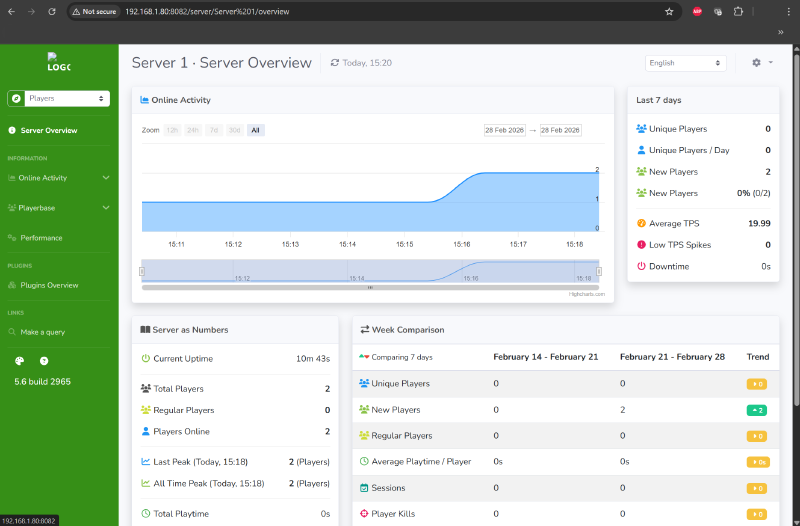
If you don’t need the dashboard accessible from other devices, bind it to localhost only by changing the port mapping in docker-compose.yml from 8082:8804 to 127.0.0.1:8082:8804. This prevents other LAN devices from accessing the admin panel.
Server console #
docker exec -it eaglercraftx-server supervisorctl fg spigotDetach without stopping server: Ctrl+C
docker attach eaglercraft-1.12.2-serverDetach without stopping server: Ctrl+P then Ctrl+Q
Useful commands (both versions):
list
op PlayerName
whitelist add PlayerName
ban PlayerName
Family safety checklist #
- Keep the server on your private home LAN only
- Do not expose ports
8081or8082directly to the public internet - If remote access is needed, use a VPN overlay instead of public port-forwarding
- Use whitelist/admin controls for known players
- Back up worlds regularly
Backups #
Backup everything:
tar -czf eaglercraft-backup-$(date +%Y%m%d).tar.gz data/Restore:
tar -xzf eaglercraft-backup-YYYYMMDD.tar.gzDaily operations #
| Action | Command |
|---|---|
| Start | docker compose up -d |
| Stop | docker compose down |
| Status | docker compose ps |
| Logs | docker compose logs -f eaglercraft |
Troubleshooting #
Port/listener check:
ss -tlnp | grep -E '8081|8082'Service status and logs:
docker exec eaglercraftx-server supervisorctl status
docker compose logs eaglercraft
docker exec eaglercraftx-server tail -f /opt/eaglercraft/logs/spigot.log
docker exec eaglercraftx-server tail -f /opt/eaglercraft/logs/bungee.log
docker compose logs eaglercraft
docker exec eaglercraft-1.12.2-server tail -f /opt/eaglercraft/logs/server.logKnown limitations #
- Initial build requires internet to download server components
- The build pulls upstream artifacts (server JARs, plugins) at build time — exact binaries may change between builds unless pinned or checksummed
- This setup prioritizes LAN simplicity, not hardened internet hosting
Legal note #
This project is for educational and research use. Ensure your use and any redistribution comply with applicable laws, upstream licenses, and intellectual property requirements. Not affiliated with Mojang or Microsoft.